Split Bill is a fast, no-frills bill-splitting app for friends, housemates, and groups. Enter a total and headcount and it calculates everyone's share live, supports custom amounts and extra charges for uneven splits, and rounds cleanly so no one owes an awkward number of cents. It's built around Australia's PayID system — every text includes exactly where to send the money — while still working with any device's currency.
Now on the App Store
LOCKEDIN Split Bill.
Split any bill in seconds. Get paid back faster.
- Free
- No account
- Works with PayID
- 100% on-device
Screenshots
Screenshot
coming soon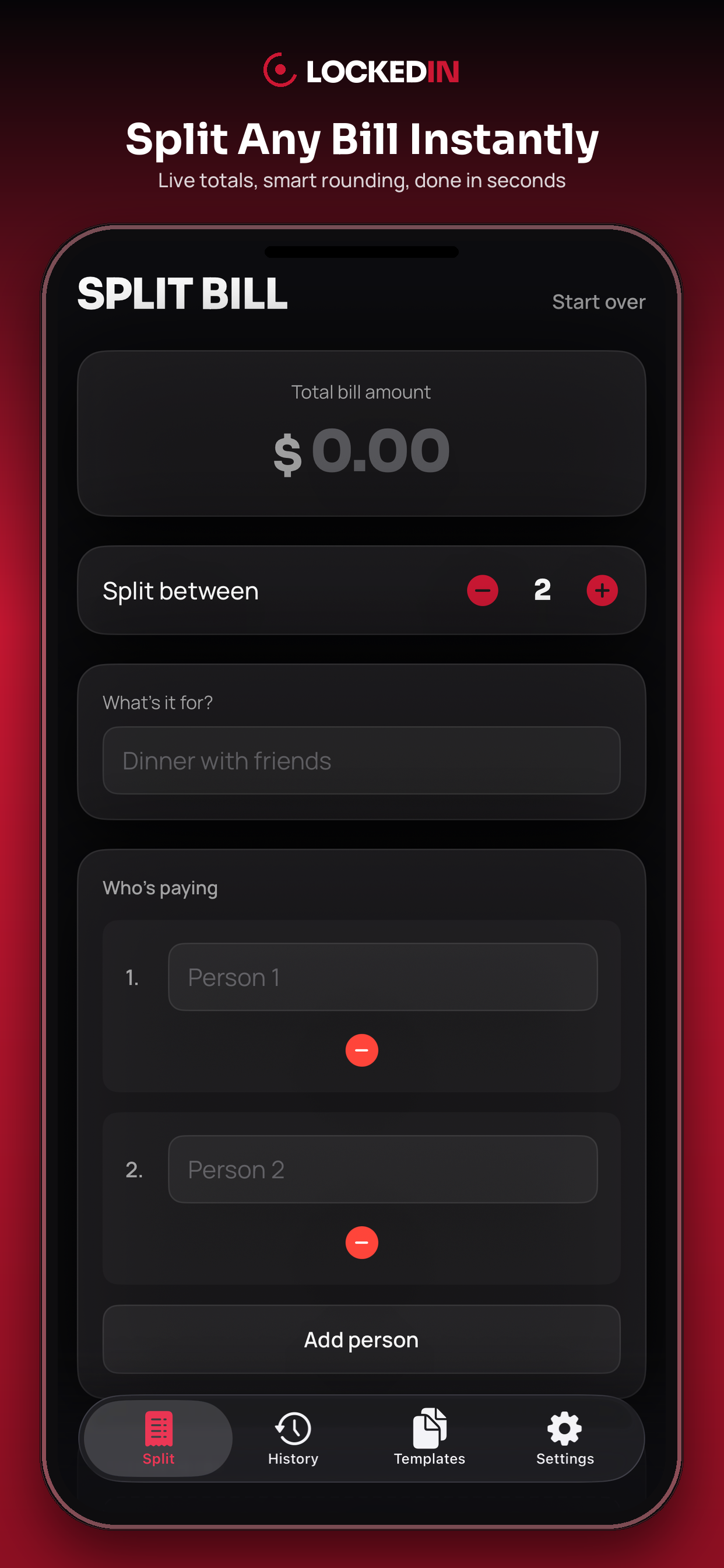
coming soon
Screenshot
coming soon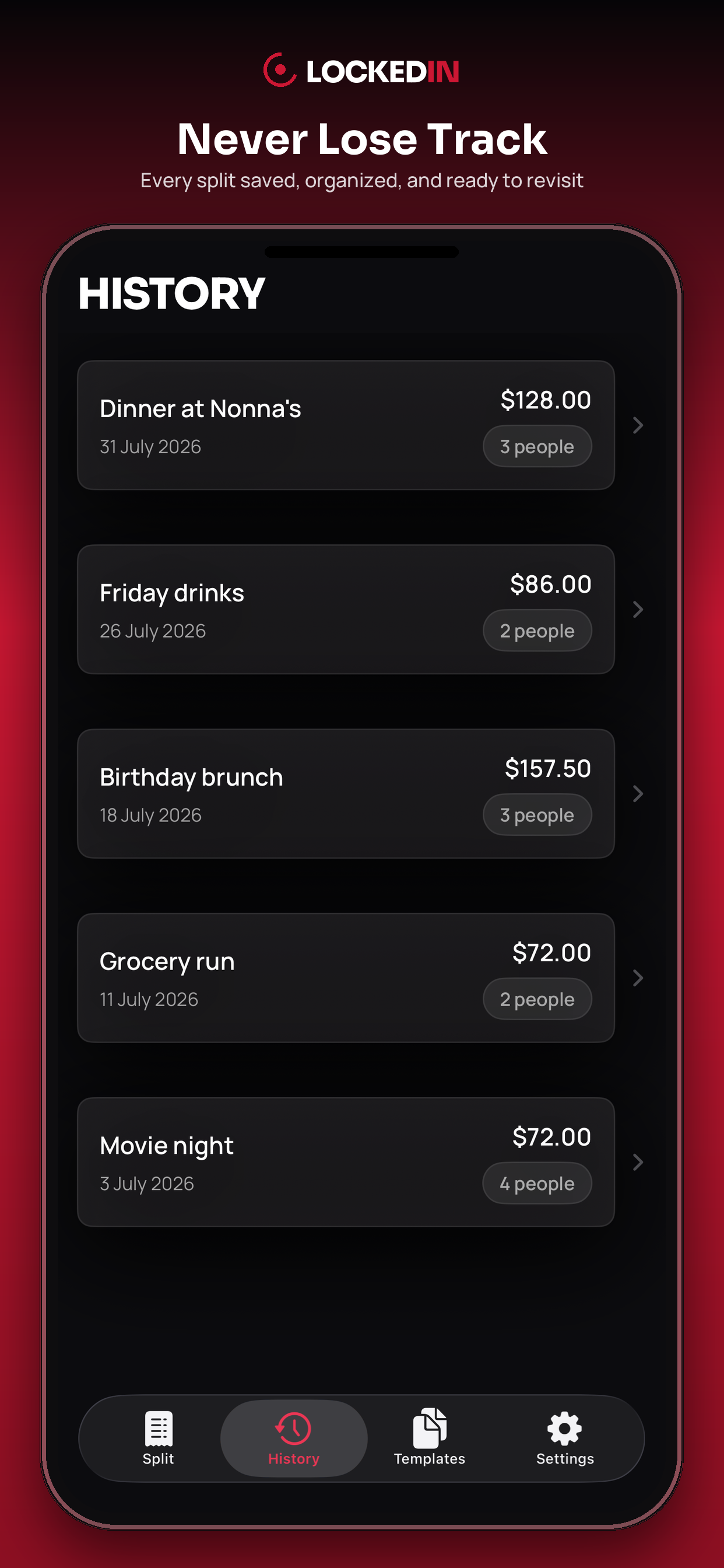
coming soon
Screenshot
coming soon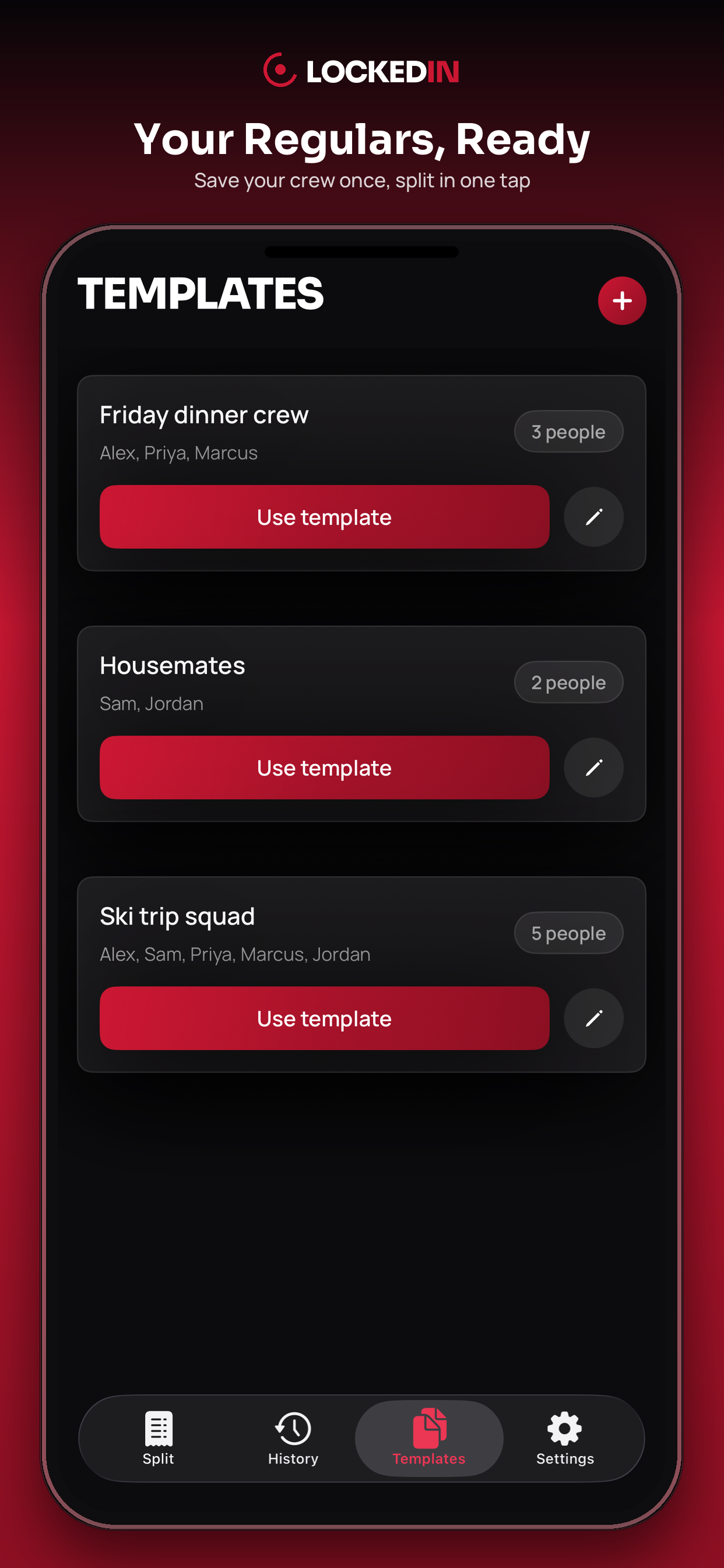
coming soon
Screenshot
coming soon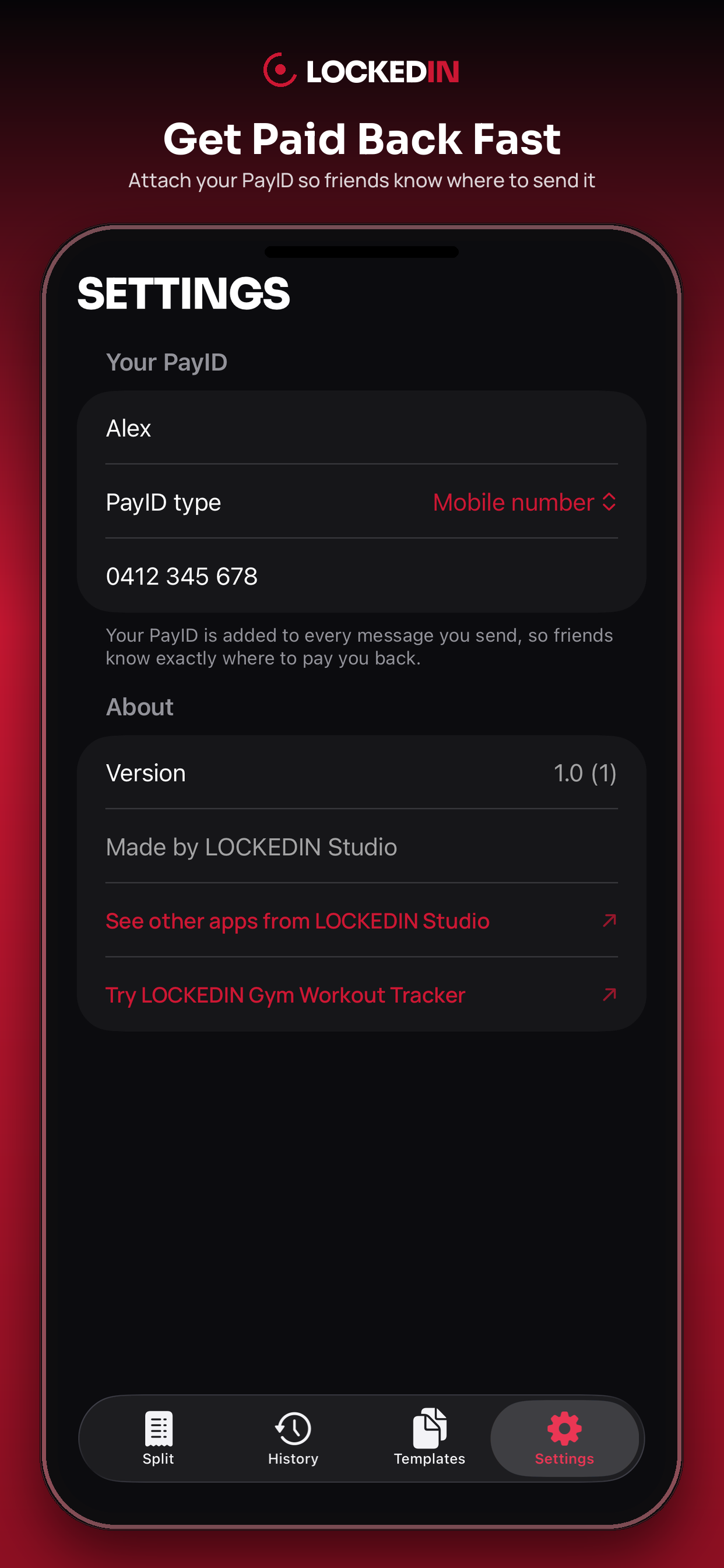
coming soon
About
Why Split Bill
Built to get you paid back, not just do the math.
No more math
No mental math, no spreadsheets — just type in the total and headcount.
Get paid back faster
Every message includes exactly where to send the money via PayID.
Never lose track
Past splits and regular groups are saved right on your phone.
Features
- Live bill splitting with instant running totals
- Custom per-person amounts and extra charges
- Round up or down to avoid awkward cents
- Reusable templates for regular groups
- Full split history with an optional receipt photo
- One-tap text or share of each amount, with PayID included
How it works
Three steps, done before the waiter's back.
- 1
Enter the total
Type the bill total and headcount — or load a saved template.
- 2
Adjust as needed
Set a custom amount or extra charge for anyone, and optionally attach a receipt photo.
- 3
Send it
Tap Done to save it to History, then text or share each person their share with your PayID attached.
FAQ
Do I need an account?
No — Split Bill works fully offline with no sign-up.
Does it work outside Australia?
Yes — it works with any device's currency automatically, though PayID (Australia's payment-ID system) is the built-in way to share your payment details.
Where is my data stored?
Entirely on your device — history, templates, and PayID details never leave your phone.
Can I split a bill unevenly?
Yes — give anyone a custom fixed amount or an extra charge, and everyone else's share adjusts automatically.
Support
Have a question? Email us at edward.sok3@gmail.com and we'll get back to you within 48 hours.
Privacy
Split Bill has no account or sign-in of any kind. Apple's Privacy Manifest for this app declares zero collected data types and no tracking, and it does not use iCloud or CloudKit — nothing syncs across devices. It doesn't use HealthKit, location, or push notifications.
Attaching a receipt photo uses the system Photos picker — the app never gets broad access to your photo library, only the specific image you choose. Texting a split uses Apple's native Messages composer, which does not give the app access to your Contacts — you pick the recipient inside the standard Messages UI. Sharing a full summary uses the system share sheet as plain text.
All data — your split history, templates, and PayID details — is stored locally on your device only. Receipt photos are saved as local image files within the app's own storage. There is no backend server; nothing ever leaves your device.
Split it. Send it. Done.
A free, private way to split any bill and get paid back — now on the App Store.